软件:indicator-sysmonitor
安装方法:
添加软件源,终端执行:
sudo add-apt-repository ppa:fossfreedom/indicator-sysmonitor
sudo apt-get update
安装indicator-sysmonitor:
sudo apt-get install indicator-sysmonitor
文章参考:http://blog.csdn.net/tecn14/article/details/24489031
启动方法:在dash中搜索indicator即会出现一个“System Monitor Indicator”,点击打开之后,过一会儿状态栏右上角便会出现cpu使用率和内存使用率。如图:

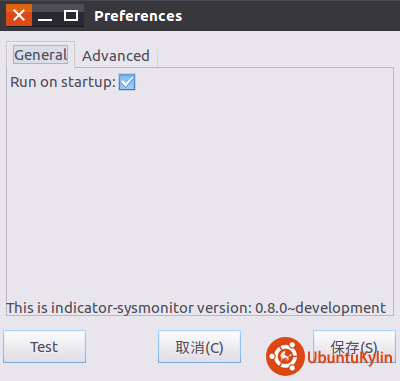
点击它,选择“Pereferences”,想开机启动的话就把“General”那一项中的“Run on starup”给勾上。如图:
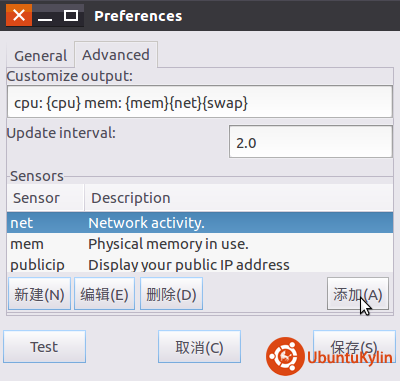
想要显示如网速或者swap使用率的话,就点击上方选项中的“Advanced”,选中对应条目然后点“添加”,网速为{net},swap使用率为{swap}。