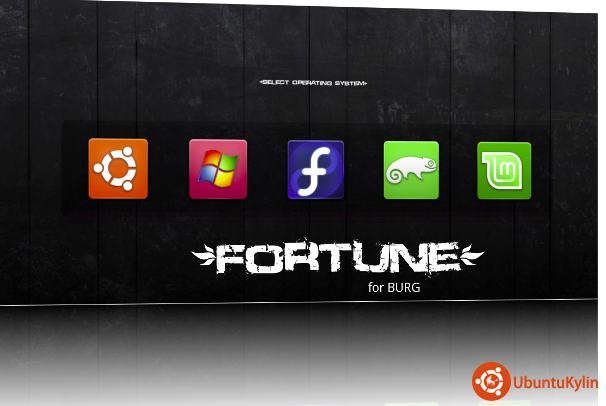
我喜欢捣鼓美化,爱美的心谁没有呢?从网上搜索了一下和人家学习了一下觉得效果还好,由于教程老化了给出的ppa{屁屁a}挂了,顺着帖子之间连接最后找到了http://code.google.com/p/burg/这个地址,乱翻一阵安装总算还好一次ok了,,下面我把有用的资料分享给大家,
1:首先添加源
sudo gedit /etc/apt/sources.list
deb http://ppa.launchpad.net/bean123ch/burg/ubuntu maverick main
deb-src http://ppa.launchpad.net/bean123ch/burg/ubuntu maverick main
sudo apt-get update
2:会提示没有公匙不能下载没干系我们来导入,
gpg --keyserver keyserver.ubuntu.com --recv 55708F1EE06803C5                  //下载密钥

gpg --export --armor 55708F1EE06803C5 | sudo apt-key add-                //导入密钥
3:安装burg以及主题
sudo apt-get install burg burg-themes burg-emu
安装过程只要让你选择不是回车就是输入y一路照做
4:做一下检测识别和更新
sudo burg-install "(hd0)"
sudo update-burg
5:启动界面选择和设置,你可以不选,但我必须告诉你,一种主题总会看够的
F1帮助
F2更换主题
F3设置分辨率
下面是下载主题的地址喜欢捣鼓去下载吧我自己下载两个主题,其实没必要下载burg自带了好几种主题可以选择,下载回本地的主题包解压然后复制到这里更新一下,
sudo cp -r fortune /boot/burg/themes/
sudo update-burg
 http://sworiginal.deviantart.com/art/Lightness-for-burg-181461810

http://sworiginal.deviantart.com/art/Dark-Shine-BURG-168869916

http://gnome-look.org/content/show.php/Autumn+Refined+Burg+Theme?content=126556

http://ubuntuforums.org/showthread.php?t=1402375

http://gnome-look.org/content/show.php/Ubuntu+Radience+for+Grub+2+[BURG]?content=121105

http://gnome-look.org/content/show.php?content=128929
我自己美化效果奉上两张截图