LAMP 是 Linux、Apache、MySQL、PHP 的简称。本教程使用的 Ubuntu 14.04 LTS Server 64 位的系统,安装 Apache2 web服务、PHP5 支持 (mod_php)和 MySQL。使用 SSH 连接到服务器,切换到 ROOT 账户:sudo su在正式安装之前更换一下源,国内的服务器,替换到国内源,为防止意外,先备份源:cp /etc/apt/sources.list /etc/apt/sources.list_backup在用vi编辑:vi /etc/apt/sources.list我比较喜欢中科大的源,比较快,共享一下:
deb http://debian.ustc.edu.cn/ubuntu/ trusty main restricted universe multiverse
deb http://debian.ustc.edu.cn/ubuntu/ trusty-security main restricted universe multiverse
deb http://debian.ustc.edu.cn/ubuntu/ trusty-updates main restricted universe multiverse
deb http://debian.ustc.edu.cn/ubuntu/ trusty-proposed main restricted universe multiverse
deb http://debian.ustc.edu.cn/ubuntu/ trusty-backports main restricted universe multiverse
deb-src http://debian.ustc.edu.cn/ubuntu/ trusty main restricted universe multiverse
deb-src http://debian.ustc.edu.cn/ubuntu/ trusty-security main restricted universe multiverse
deb-src http://debian.ustc.edu.cn/ubuntu/ trusty-updates main restricted universe multiverse
deb-src http://debian.ustc.edu.cn/ubuntu/ trusty-proposed main restricted universe multiverse
deb-src http://debian.ustc.edu.cn/ubuntu/ trusty-backports main restricted universe multiverse
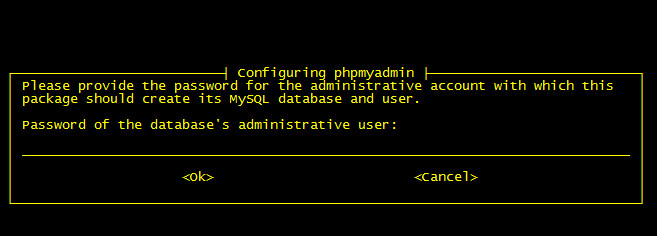
跟新源:apt-get update1、安装数据库MySQL 5apt-get install mysql-server mysql-client系统提示设置密码:
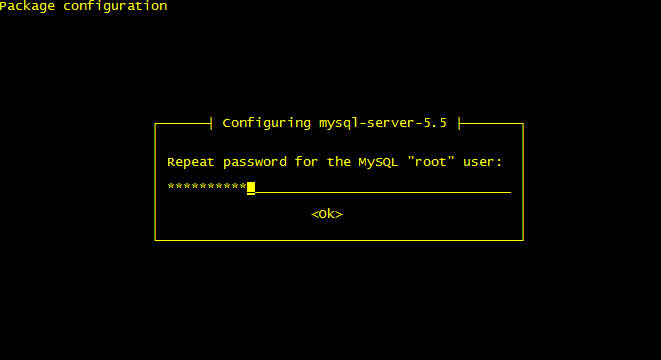
New password for the MySQL “root” user: <– 输入你的root密码
Repeat password for the MySQL “root” user: <– 在输入一次
2、安装 Apache:apt-get install apache2然后浏览器访问: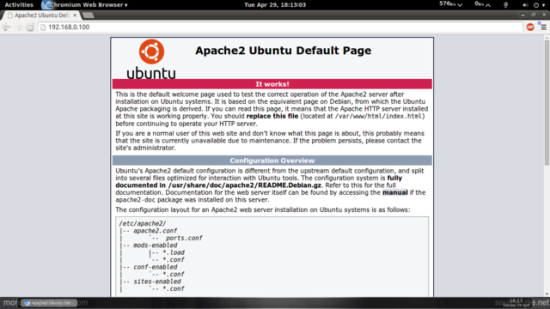 默认目录:/var/www/html,配置文件:/etc/apache2/apache2.conf3、安装 PHP:apt-get install php5 libapache2-mod-php5再重启 apache2service apache2 restart4、测试 PHP,建立一个探针文件:vi /var/www/html/info.php内容如下:
5、让 php5 支持 MySQL
apt-cache search php5
apt-get install php5-mysql php5-curl php5-gd php5-intl php-pear php5-imagick php5-imap php5-mcrypt php5-memcache php5-ming php5-ps php5-pspell php5-recode php5-snmp php5-sqlite php5-tidy php5-xmlrpc php5-xsl
重启 apache:service apache2 restart6、安装 XCache 优化缓存apt-get install php5-xcache重启 apache:service apache2 restart7、安装phpmyadmin管理Mysql:apt-get install phpmyadmin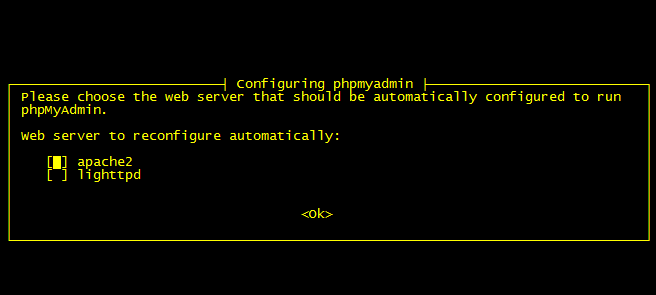 选择第一个,然后是设置phpmyadmin: